AGENCY PREFILE DOCUMENTS
Agency prefiling form:
Prefile Form (submit a separate form for each bill)
Bill drafting resources:
Bill drafting templates available to download for agency prefiling:
Word - Basic Bill Draft Template
Word - Detailed Bill Draft Template (includes all possible bill draft section types)
LibreOffice - Basic Template (download LibreOffice)
Agency prefile bill submissions:
Agency bills may be submitted in a paper hardcopy format to the Legislative Council office or electronically to lcouncil@ndlegis.gov (electronic submissions are preferred).
- Please submit each bill and accompanying prefile form in a separate email (one bill per email).
- You will receive confirmation your agency prefile bill has been received within 48 hours.
- The deadline to submit agency bills is 5:00 p.m. on November 25, 2026.
Frequently Asked Questions
When is the deadline for agencies to prefile bills?
The deadline is 5:00 p.m. on Wednesday, November 25, 2026 (per House and Senate Rules 402(2)).
What are the instructions for prefiling?
The prefiling instructions are included on the prefile form and state:
Each agency bill and corresponding prefiling form may be submitted in a hardcopy format to the Legislative Council office or emailed to lcouncil@ndlegis.gov. Limit one bill and prefiling form per email. After you have prefiled a bill, the bill will be assigned a number by the Legislative Council staff, printed in advance of the regular legislative session, and assigned to the appropriate committee.
How do I submit my prefile bills?
Your prefile bill and the corresponding prefile form that must accompany each bill can be emailed to the Legislative Council at lcouncil@ndlegis.gov or delivered to the Legislative Council in a hard copy format. Please send a separate email for each prefiled bill and corresponding prefile form.
Does my prefiled bill need to include line numbers?
NO. Please do not include line numbers on your prefiled bill. The Legislative Council's bill drafting system automatically inserts line numbers once the bill text is entered into the system.
Should I send my bill draft as a Word doc or as a PDF?
We will accept both, but a Word doc is preferred.
How do I copy statutory text from the legislative branch website into my bill draft?
Access the main North Dakota Century Code landing page on the legislative branch website and click on "Full view" to access a page from which you can copy Century Code text.
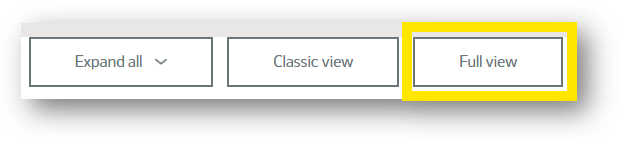
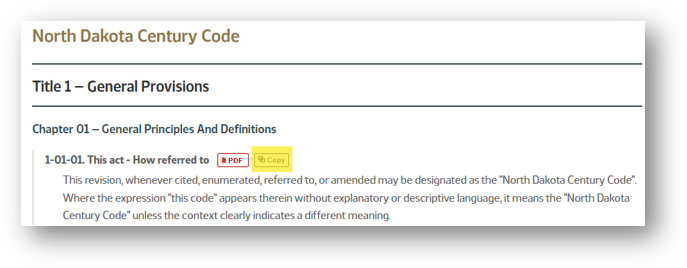
From the "Full view" page, you can copy a section of statutory text into your bill draft using the "Copy" button pictured below.
How do I show the changes I am proposing in my bill draft?
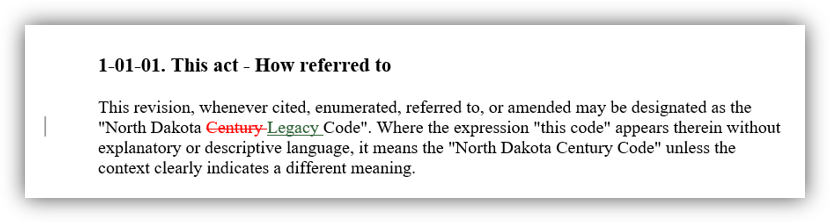
To mark the changes you would like made to the statutory text, use the Word or LibreOffice native track changes feature.
Word: To access track changes in Word, go to the toolbar and click on "Review", then "Tracking", then "Track Changes", then "For Everyone" to easily mark your changes.
LibreOffice: To access track changes in LibreOffice, click on "Edit", then "Track Changes", then "Record".
Image of how track changes will appear in Word: